
If your warehouse needs barcode scanning, real-time inventory, and directed picking, you have two paths: implement a warehouse management system, or build a focused scanner app directly on your ERP. The WMS is the default answer, and for a lot of mid-size distributors it's the wrong one. Here's how to tell which side of the line you're on.
What Each Path Actually Involves
The WMS path
A mid-market WMS runs $50,000-$250,000 in first-year cost once licenses, implementation, and integration are counted, plus $15,000-$50,000 a year ongoing. Implementation takes 4-9 months. You get a deep feature set: wave planning, slotting optimization, labor management, multi-facility support, yard management.
You also get the WMS's model of how a warehouse works, and your operation will bend to fit it. The WMS becomes the system of record for inventory, which means a permanent, high-stakes sync between it and your ERP, and that seam is where most WMS implementations hurt. When the ERP and WMS disagree about stock, someone reconciles.
The custom scanner app path
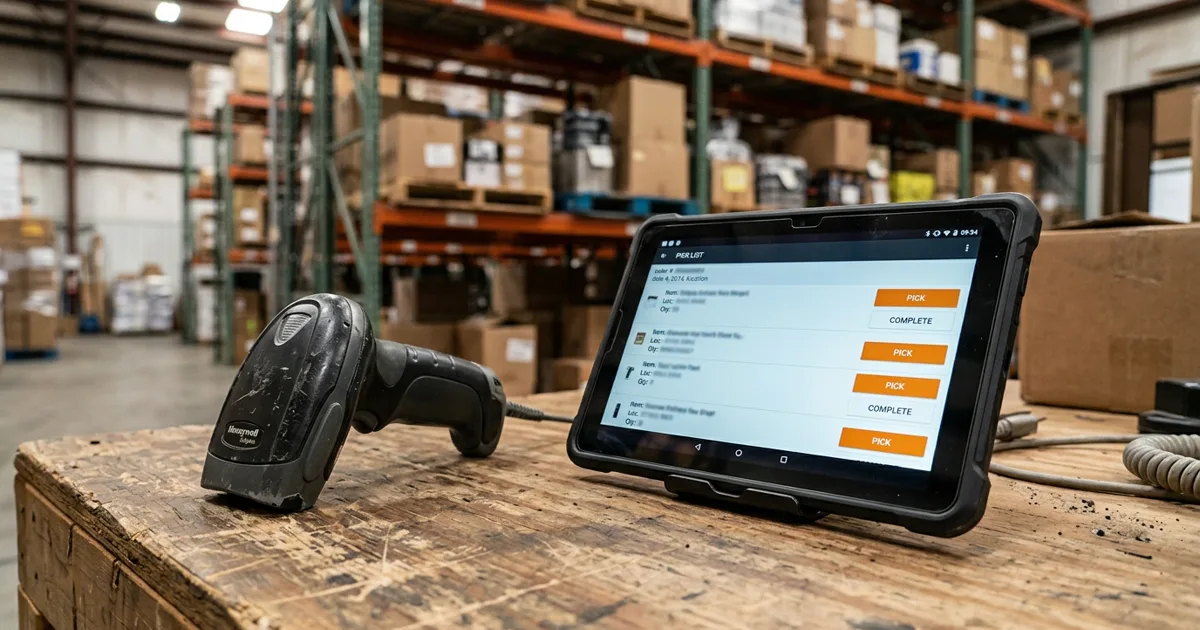
A focused app (receiving, picking, cycle counts, adjustments, on rugged Android devices or consumer tablets) built directly against your ERP's API typically runs $25,000-$75,000 and ships in 6-12 weeks. There's no second inventory system: the app is a screen on your ERP. A pick confirmed on the device is a transaction posted in the ERP at that moment. Nothing to reconcile, because there's only one set of numbers.
What you give up is the deep feature set. No slotting engine, no labor standards, no wave optimization. The app does exactly your workflows, and nothing else, which cuts both ways.
Where the WMS Wins
- High-velocity, high-SKU operations. Tens of thousands of picks a day across 50,000+ SKUs, where slotting and wave optimization pay for themselves in labor.
- Multi-facility networks with cross-dock flows and transfer logistics.
- 3PL operations billing storage and handling to multiple clients. That's WMS-native functionality you don't want to rebuild.
- Heavy compliance regimes (lot genealogy, serialized tracking at scale) where the WMS vendor has already done the validation work.
Where Custom Wins
- Your ERP already runs the warehouse on paper. If P21, Sage, or NetSuite holds your bins, quantities, and pick logic today, and the gap is that workers carry paper instead of devices, you don't need a second brain. You need hands on the first one.
- Your workflows are specific. Three pick lists split by product class, a checker step for assembled goods, a will-call lane. A WMS makes you configure around its assumptions. Custom just implements yours.
- One or two facilities, moderate velocity. Under a few thousand picks a day, optimization features return little, and the WMS price premium buys shelf-ware.
- You want it running this quarter, not after a 6-month implementation.
The pattern in our own projects: distributors who went custom got to 99%+ inventory accuracy on scanner-driven receiving and picking: the accuracy gain comes from recording moves in real time, not from any advanced WMS feature. That gain was available for a quarter of the WMS price.
The Questions That Decide It
- Would a second system of record for inventory help you or hurt you? If reconciliation sounds like a new problem you don't have today, that's your answer leaning custom.
- Which WMS features would you actually use in year one? Get the demo list, cross off what you wouldn't touch, and price what's left.
- Is your ERP's warehouse module the constraint, or is data entry the constraint? Be honest. If the ERP's logic is genuinely too thin (no bin tracking at all, no lot support you need), custom apps can't fix that, and a WMS (or an ERP module upgrade) can.
- Who maintains it in year three? A WMS means a vendor relationship and upgrade cycles. A custom app means a codebase someone must own. Neither is free; know which cost you're choosing.
A Middle Path Worth Knowing
Some operations land on custom now, WMS later: put scanning and real-time transactions on the existing ERP this quarter for $30K-ish, run it for two years, and revisit the WMS question if volume outgrows it. The scanner app work isn't wasted: the barcoding, device fleet, and process discipline transfer directly, and you'll walk into a WMS selection knowing your workflows in writing instead of guessing at requirements.
Uptimize Solutions builds warehouse scanner apps on Epicor P21, Sage, NetSuite, and Dynamics for distributors who need real-time inventory without a full WMS. See how we build operational apps or book a free workflow audit and we'll help you figure out which side of the line your warehouse is on.